
Savings potential per site, every month from your own numbers
Seatti combines the measured usage of your offices with your rates for rent and cleaning. You see per site where space costs money without being used, and you talk to management with numbers instead of assumptions.
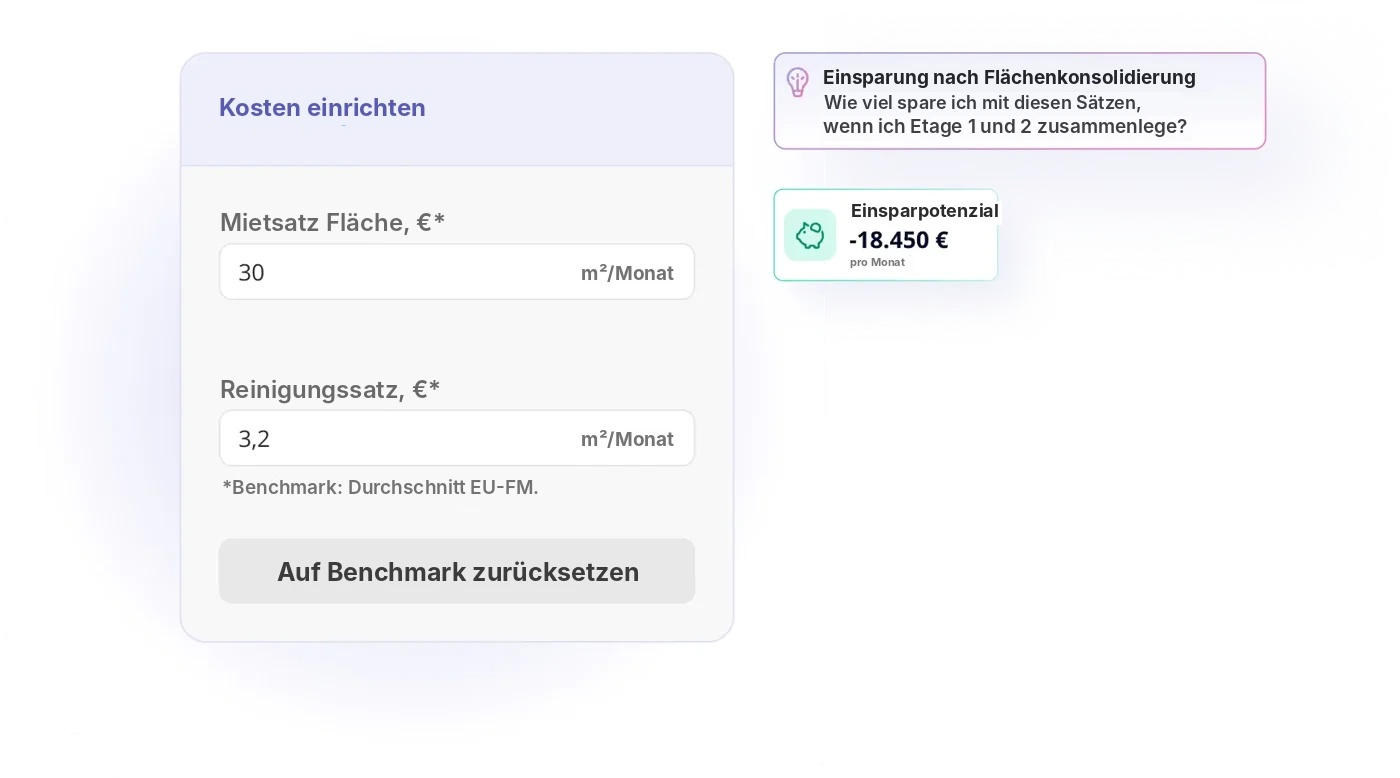


.svg)


%201.svg)

Sound familiar?
Management asks about savings, and all you have is square metres.
Usage and costs per site in one view.
Every site reports differently, a comparison takes weeks.
All sites with the same logic, updated monthly.
Generic benchmarks don’t fit your portfolio.
Savings potential, derived from your own rates and your measured usage.
The logic behind it
Four steps from measured usage to savings potential, derived from your own rates.
Step 1
Usage
Measured via network, bookings and Seatti Signals.
Step 2
Unused space
Desks and areas that stay empty for good.
Step 3
Your rates
Rent and cleaning per site, entered by you.
Result
Potential
An order of magnitude as the basis for your decision.
From site comparison to decision
Measured usage, permanently unused space and your rates add up to an order of magnitude per site. A potential as the basis for your decision, not a promise.
All sites side by side
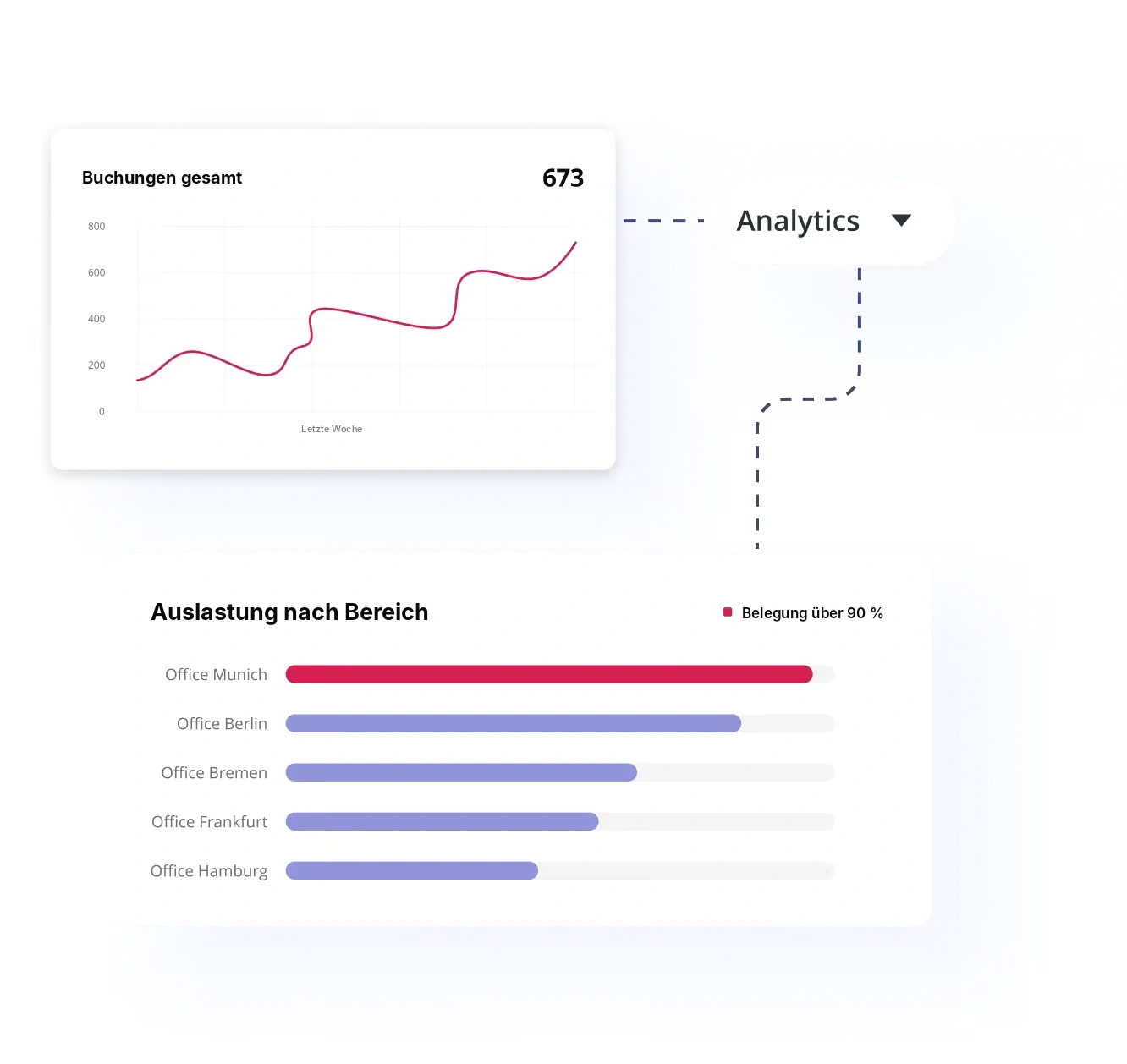
Utilization per site and area at a glance, with the trend over time. You immediately see which site stands out.
- Utilization per site and area
- Booking trend over weeks and months
- The same logic for the whole portfolio
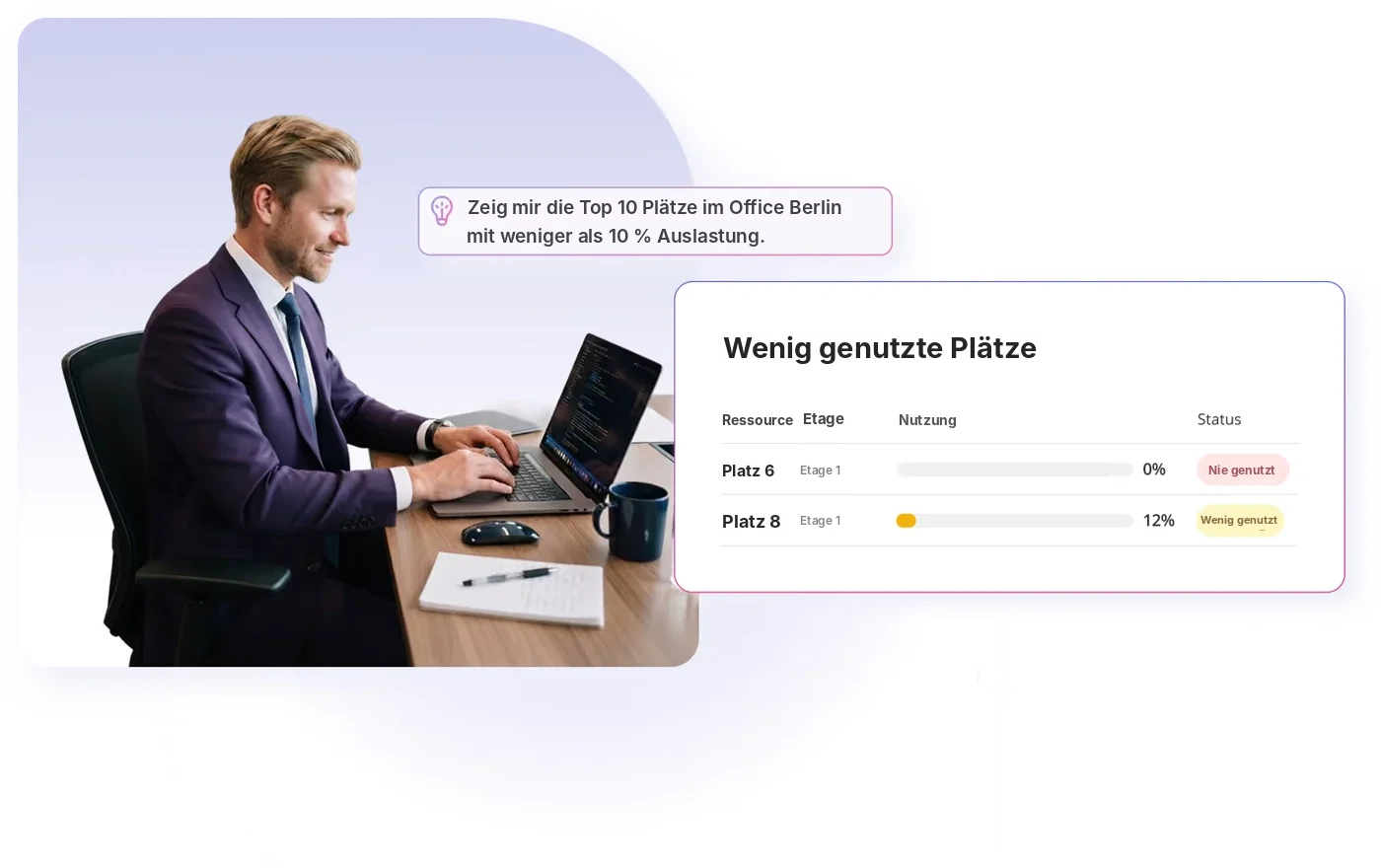
Where space sits empty, named precisely
Seatti shows not just percentages but the specific desks and areas that are permanently underused. That is the starting point for any consolidation.
- Permanently underused desks as a list
- Areas that can be consolidated
- A basis for giving up a floor or a site
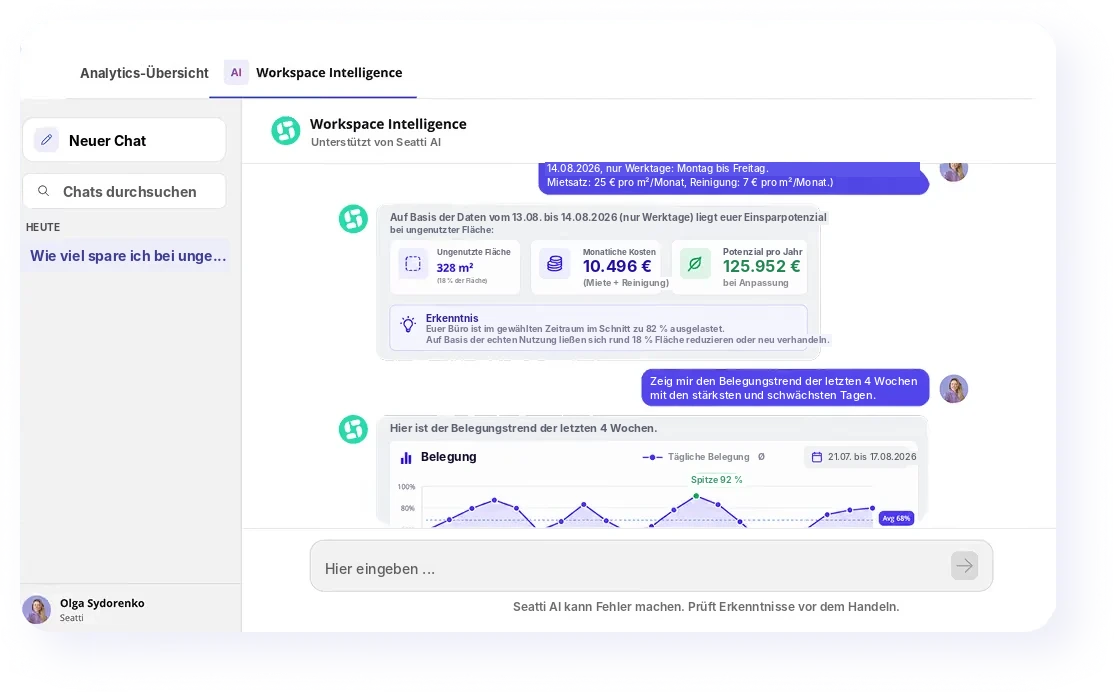
Ask questions instead of building reports
“Which site has the biggest potential?” The answer comes from your data, in plain language.
- Questions in plain language
- Answers based on your usage and cost data
- Quick answers to follow-up questions from management
Every month a number that fits the management report
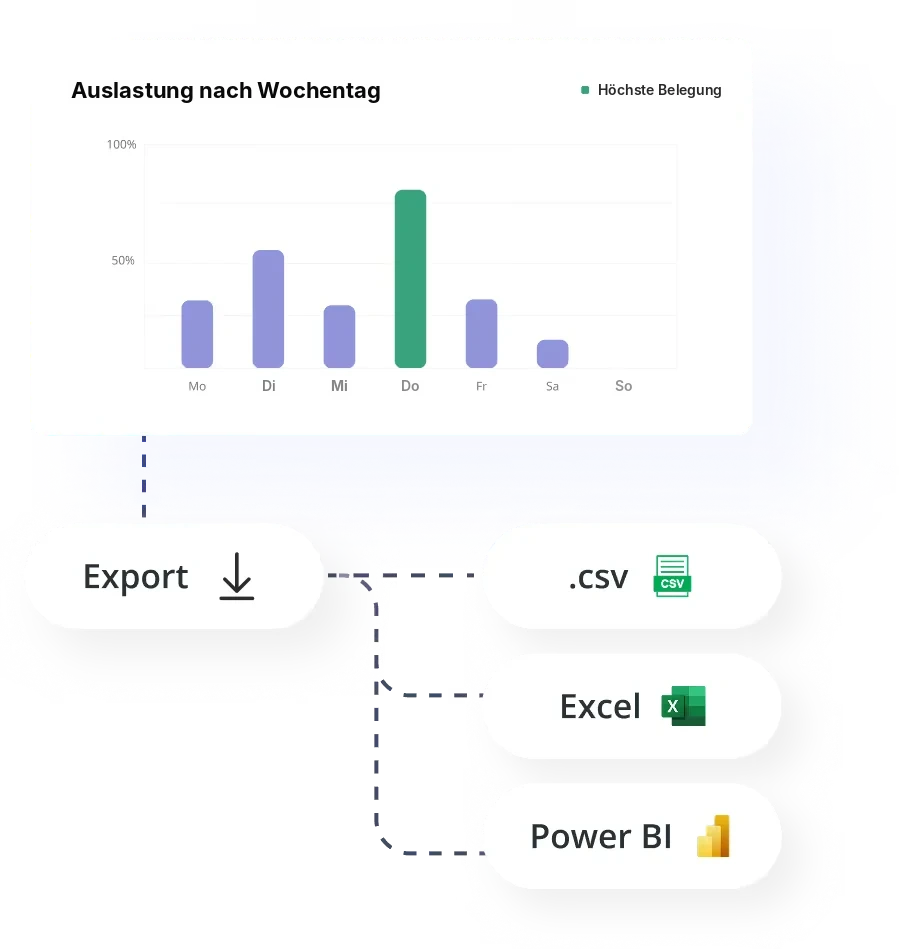
The report goes where you already report: as an export or straight into your BI.
- Export as CSV and Excel
- Connection to Power BI
- Development over the months easy to follow

Growing without building new office space
Sartorius grew faster than its offices could expand. Instead of new space, the company organizes its existing space with desk sharing and uses the anonymized analyses from Seatti as the basis for space decisions. Today 1.6 people share every desk in use.


Frequently asked questions about savings potential
From you. You enter rent and cleaning per site, and Seatti calculates with them. There are no generic assumptions.
No. It shows an order of magnitude. Whether and how you reduce space depends on your leases and your goals.
Depending on your setup, presence via the company network, bookings and Seatti Signals. Everything is analysed in aggregate.
Yes. Via export as CSV or Excel or through the Power BI connection.
The comparison becomes especially meaningful with several sites. Even at a single site it shows how much space goes unused.
.webp)
Which site costs you the most in empty space?
We’ll show you what the monthly report looks like with your rates.