
Put desks and rooms where they are really needed
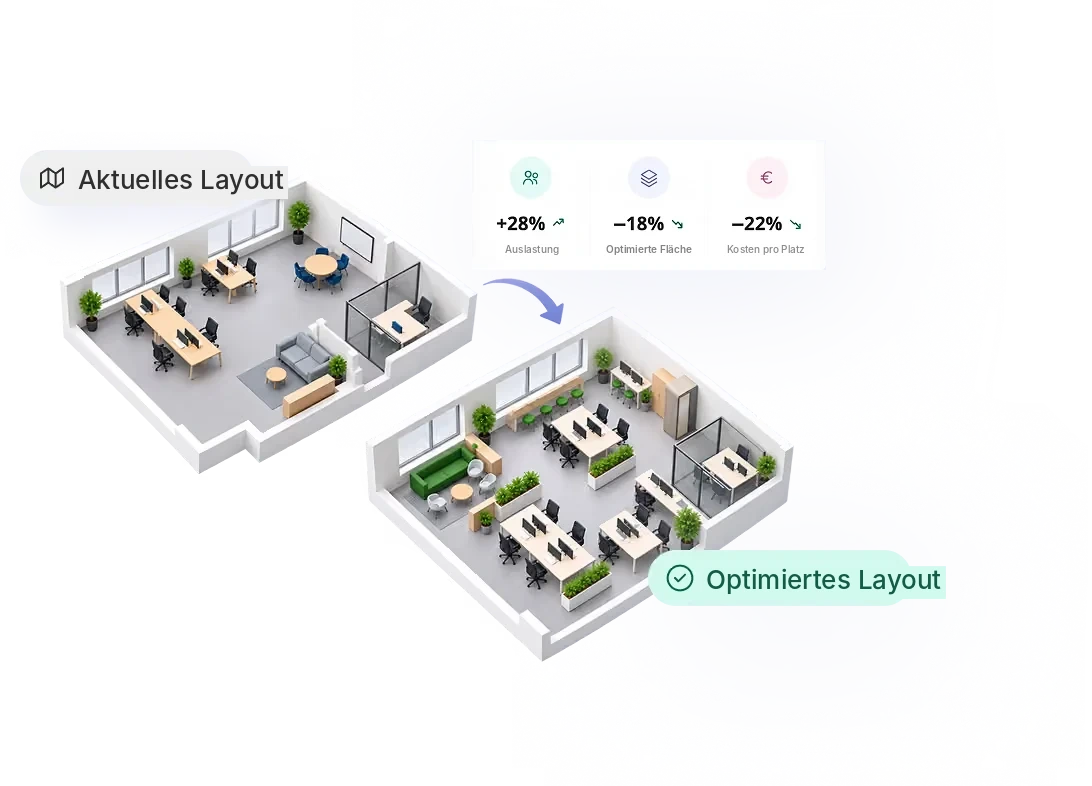
One zone is full every day, the next is half empty. Seatti shows you per desk and area what is used, so you can rearrange deliberately every quarter instead of by gut feeling.


.svg)


%201.svg)

Sound familiar?
One team hunts for desks every day, the team next door has too many.
Utilization per zone compared, desk moves backed by data.
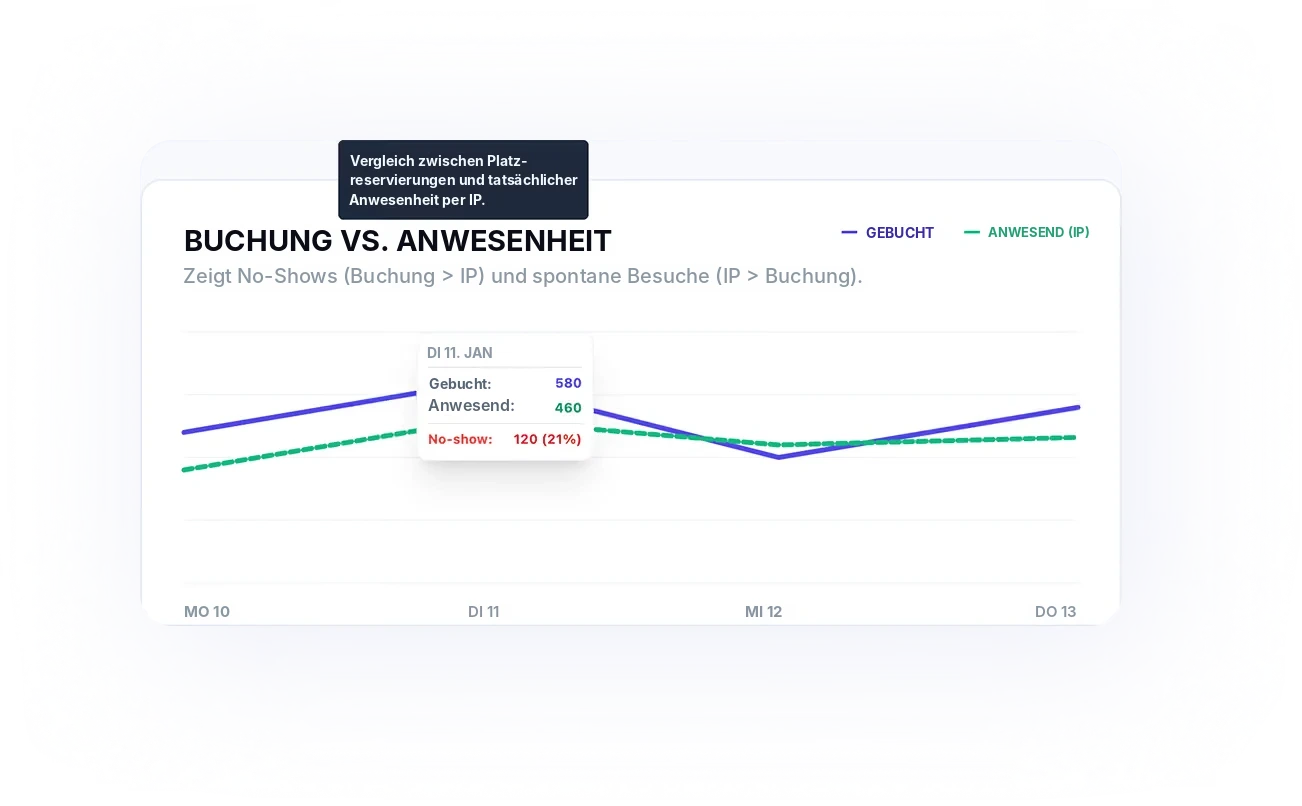
Booked desks that nobody sits at.
Booked and actually used per desk, side by side.
The floor plan dates from before hybrid work.
A data basis every quarter, instead of replanning once every five years.
From the single desk to a better layout
Measure, spot outliers, rearrange, check the effect: based on your own usage data.
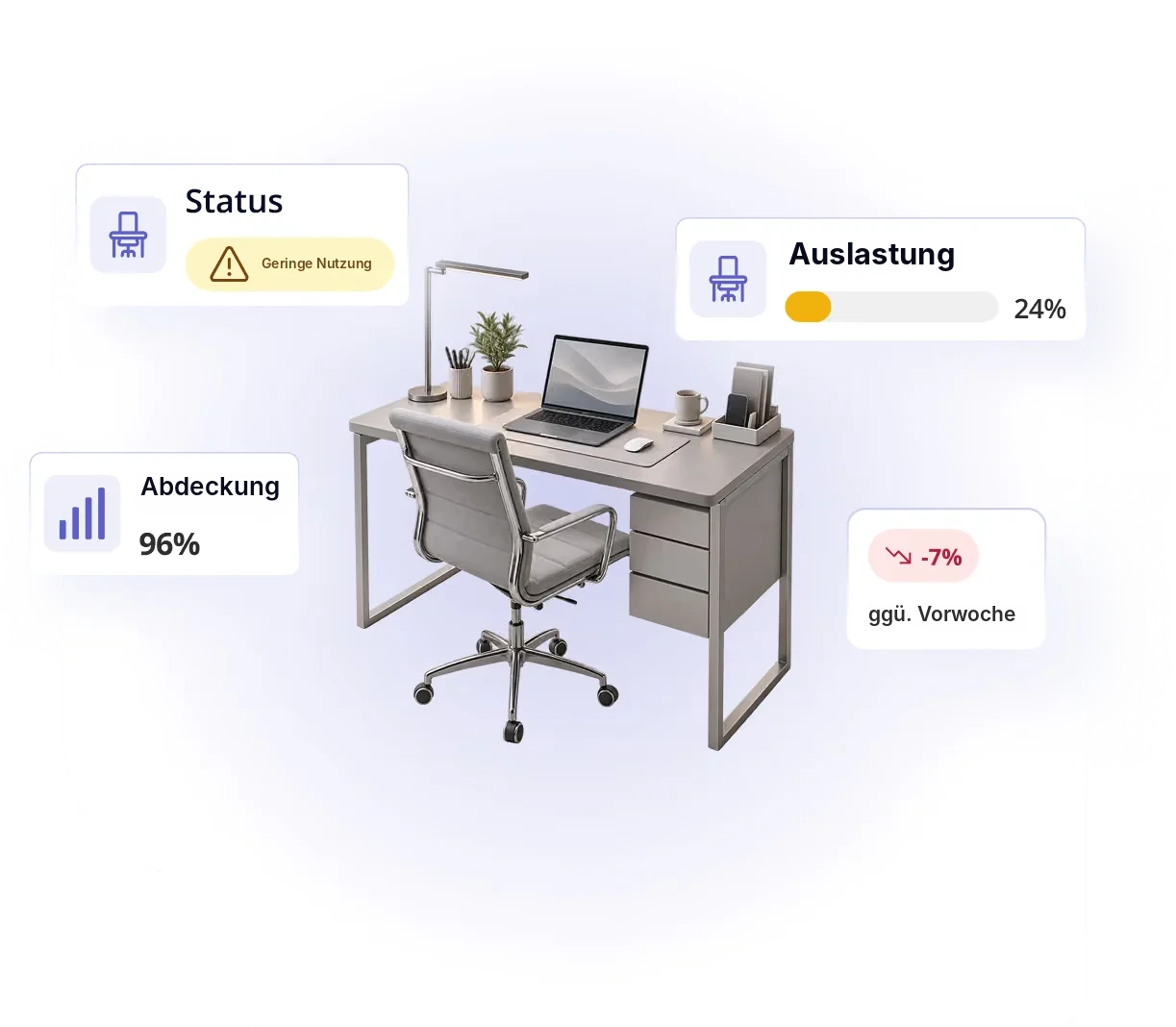
Usage per desk, via the docking station
Seatti Signals detects when someone is actually working at a desk. No additional sensors, using the technology already on the desk.
- Utilization per desk in percent
- Rarely used desks flagged automatically
- Measurement coverage visible per area
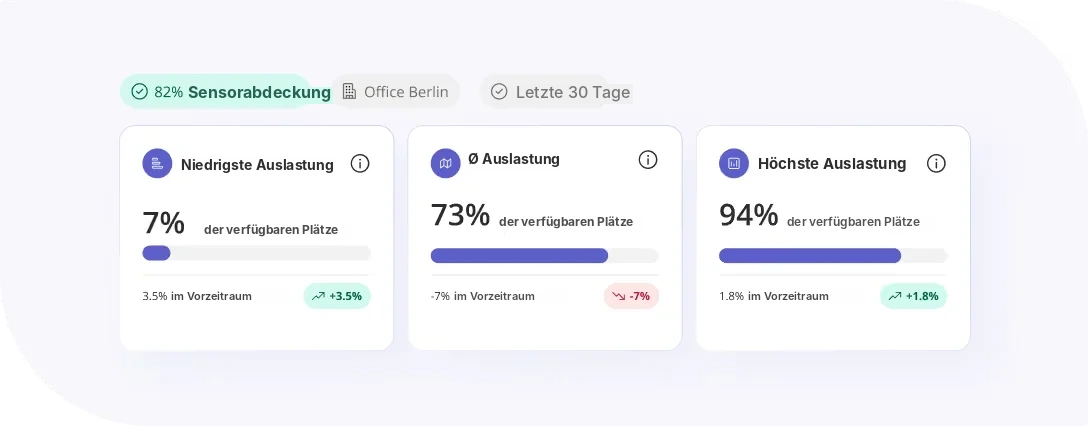
The spread shows where to rearrange
A good average can look fine and still hide that individual desks are barely used. Seatti shows the full range per area.
- Lowest, average and highest value per zone
- Compare zones and floors directly
- Track the change after a refit
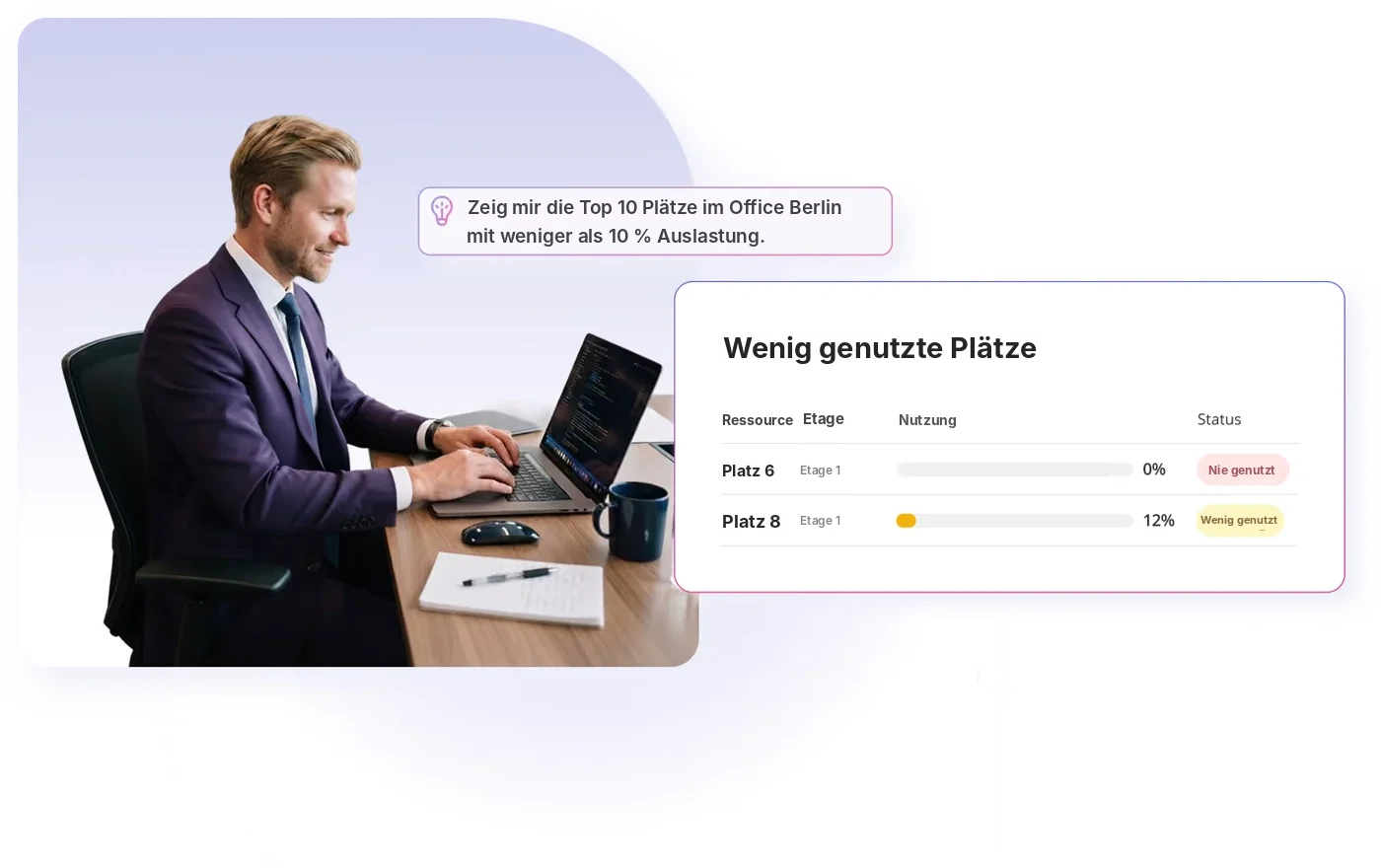
Just ask: which desks are barely used?
Instead of filtering spreadsheets, you ask your question in plain language and get the candidates for the next rearrangement as a list.
- Questions in plain language
- Answers based on your own usage data
- Results as a list for planning
Plan rooms and desks by real demand
For meeting rooms and bookable areas Seatti uses booking data, for desks also the measured usage. Together this gives a clear picture of the ratio of desks to rooms.
- Booking rate and no-shows per resource
- Question the ratio of desks to meeting rooms
- Export for your planning and your BI
Adjust once a quarter
The rhythm that keeps layouts current without constant moves.
Step 1
Measure
Capture usage continuously, per desk, zone and room, with no extra effort day to day.
Step 2
Spot
Find outliers: overloaded zones and desks hardly anyone uses.
Step 3
Rearrange
Move teams, repurpose desks, reshape zones.
Step 4
Check
See next quarter whether the change worked.

“Design before function is a fallacy.”
“Only when everything works does the design come into its own,” says Frank Dombrowski, New Office Project Manager at bonprix. Based on usage data from Seatti, bonprix completely redesigned an area planned as a quiet zone and achieves 66% higher utilization per desk than the year before.


Frequently asked questions about allocating space
No. Seatti Signals uses existing docking stations. We clarify with your IT in advance which models are supported.
For rooms, Seatti works with booking data. The per-desk measurement via Signals applies to desks.
No. It is about the use of desks and areas, analysed in aggregate.
A review once a quarter has proven itself. That way you react to change without constantly moving.
Yes. With assigned desks in particular, the measurement shows which of them stay empty for good.
.webp)
Which zone would you look at first?
We’ll show you what the analysis looks like for your floor plan.